

What if you could access hundreds of premium Mac applications for less than the price of one major software subscription?
SetApp offers a different approach. Instead of buying each program separately, you pay one monthly fee. You get unlimited use of a huge collection.
SetApp works as an alternative to the traditional Apple App Store. It has its own dedicated store application. You browse categories and install what you need instantly.
The core value is clear. One subscription price unlocks diverse productivity tools, utilities, and creative software. This can transform how you work.
Many Mac users today seek this efficiency. They want to avoid managing multiple individual app subscriptions. This service provides a simpler way.
A free trial period lets you test everything first. Different tiers exist for Mac-only access or bundles with iOS devices. We will examine the pricing details later.
This review has a practical, decision-focused goal. We analyze whether this subscription delivers genuine value for your money. Our information helps you decide if it’s right for your needs.
Key Takeaways
- Access over 240 high-quality Mac apps with a single monthly subscription.
- Function as a curated alternative to the standard Apple App Store.
- Pay one price for unlimited use of diverse productivity and utility tools.
- Simplify software management and avoid multiple separate subscriptions.
- Test the service and its included applications with a free trial period.
- Choose from subscription tiers for Mac-only or Mac+iOS device bundles.
- Potentially transform workflow for professionals, creatives, and power users.
What Is SetApp? A Curated App Subscription Service
A curated software subscription service provides streamlined access to hundreds of specialized Mac tools through one monthly payment. SetApp represents a modern approach to obtaining and managing applications.
Developed by the Ukrainian software company MacPaw, this service builds on their expertise with popular utilities like CleanMyMac. SetApp carefully selects each application for the library.
The fundamental business model is straightforward. Users pay a recurring monthly or annual fee for unlimited access to the entire collection. This includes all future updates to the latest versions of included software.

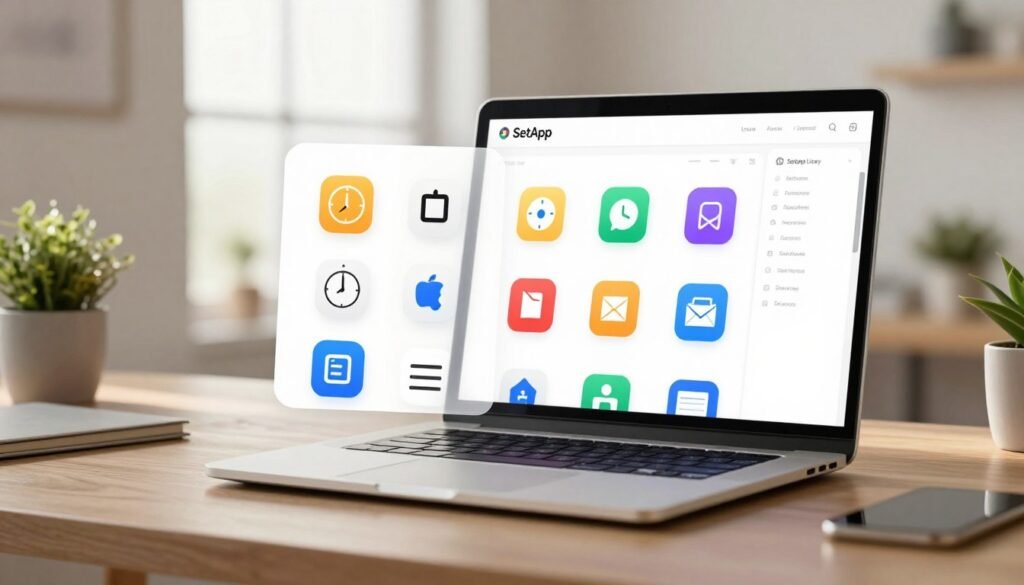
Operation happens through a dedicated desktop application. SetApp functions as a centralized hub similar to an app store. You can browse categories, discover new tools, and install what you need instantly.
Technical requirements are specific. The platform requires macOS 11 (Big Sur) or later to install and run. This ensures compatibility with modern Mac systems and their security frameworks.
The revenue model between the company and app developers is innovative. Compensation is based on user engagement time with each application. This approach mirrors streaming services like Netflix.
This model creates significant benefits for software creators. Developers receive a steady income stream from the subscription pool. They can focus on improving their products rather than marketing individual sales.
Users gain advantages too. The experience removes advertisements, upgrade prompts, and separate purchase decisions. You get clean, fully-functional software without constant upsells or limitations.
SetApp positions itself as a viable contender to Apple’s official App Store. It offers a different way to access and pay for quality applications. This creates healthy competition in the software marketplace.
Quality curation is a core principle. The library focuses on productivity, work optimization, and creative tools. This contrasts with vast, unfiltered marketplaces where discovery can be challenging.
Historically, this concept recalls the shareware collections of earlier computing eras. The modern subscription-based twist makes it practical for today’s users. It combines variety with financial predictability.
Comprehensive support resources are included within the application. You’ll find extensive how-to guides and detailed walkthroughs. These materials help users learn new tools quickly and effectively.
SetApp evolves continuously. New applications join the catalog based on user needs and market trends. This keeps the offering fresh and relevant for various workflows.
Flexible subscription tiers accommodate different user scenarios. Options exist for Mac-only access or bundles including iOS devices. Family and team plans support multiple users efficiently.
This model represents a shift in software consumption. It moves away from ownership of individual licenses. Instead, it emphasizes access to a constantly refreshed toolkit.
The SetApp Library: High-Quality Apps for Every Task
With over 240 carefully selected programs, this library transforms how Mac users approach their daily tasks and creative projects. The collection spans essential categories for modern work.
Each application represents a premium solution in its field. You gain unlimited access to this entire toolkit through one simple payment.
The quality standard is exceptionally high. Many included programs frequently appear on “best Mac app” lists across the internet.
Top-Tier Productivity and Writing Apps
Productivity software forms the backbone of this service’s offering. These tools help you organize thoughts, manage time, and complete work efficiently.
Ulysses stands out as a premier Markdown writing application. It offers a clean, distraction-free interface for authors and content creators.
Session provides what many consider the perfect Pomodoro timer. SetApp helps break work into manageable intervals with smart breaks.
Other productivity gems include powerful task managers and calendar applications. You also get excellent email clients and note-taking software.
Having these apps available removes the purchase barrier. You can test and adopt tools that might seem expensive individually.
Essential Utilities for Mac Optimization
Utility software keeps your system running smoothly. These programs handle maintenance, customization, and performance monitoring.
Bartender is a tiny menu bar organizer used for years by power users. It lets you hide, rearrange, or highlight menu bar icons.
BetterTouchTool allows deep customization of keyboard shortcuts and trackpad gestures. You can create personalized workflows for any job.
CleanMyMac X performs essential system cleanup and maintenance tasks. It removes junk files, manages applications, and optimizes performance.
iStat Menus delivers comprehensive system information directly to your menu bar. Monitor CPU, memory, network activity, and temperatures in real time.
Creative and Specialized Tools
Creative professionals find exceptional value in the available software. These applications support design, photography, planning, and development work.
Luminar Neo represents cutting-edge AI photo editing technology. It simplifies complex edits with intelligent tools and one-click enhancements.
MindNode facilitates visual thinking through elegant mind mapping. Brainstorm ideas, plan projects, or organize information with intuitive diagrams.
Craft serves as a powerful note-taking and document creation platform. It combines writing, planning, and collaboration features in one beautiful package.
Specialized tools like ForkLift offer advanced file management capabilities. Soulver provides a unique notepad calculator for quick computations.
The library includes numerous other high-value applications. Paste manages clipboard history across multiple layers of copied data.
Chronicle functions as a handy financial organizer for tracking bills and subscriptions. CleanShot X delivers superior screenshot and screen recording functionality.
ToothFairy simplifies Bluetooth device connections with single-click pairing. Each program receives automatic updates to the latest version.
This continuous updating ensures you always have current features and security patches. The service handles all maintenance behind the scenes.
Applications install into a dedicated folder within your Applications directory. This organization keeps them neatly grouped together for easy access.
Some users appreciate this systematic approach. Others note it as a distinctive organizational choice.
The library’s depth and quality represent the core value proposition. You get tools for nearly every task encountered in professional work or personal projects.
This curated selection eliminates the need to hunt through different app stores. Everything you need resides in one centralized location.
The collection evolves based on user needs and developer partnerships. New applications join regularly to address emerging workflows.
SetApp Pricing and Subscription Plans Explained
Understanding the pricing structure is essential when evaluating any subscription service’s true value. Multiple tiers accommodate different needs, from individual users to entire families.
Each plan offers unlimited access to the full library of applications. You pay one recurring fee instead of managing separate purchases.
Mac-Only Plan: The Core Offering
The standard Mac package costs $9.99 per month. This provides unlimited use of all Mac applications on one computer.
This is the most popular choice for individual professionals. You get every tool in the catalog for a predictable monthly expense.
Annual billing reduces the effective price slightly. Paying upfront for a year offers savings over month-to-month payments.
The $9.99 price point represents significant value. It’s less than the cost of most individual premium software subscriptions.
Mac + iOS Bundle: Cross-Device Access
For users with multiple Apple devices, the bundle plan extends functionality. It typically costs $12.99 each month.
This covers one Mac computer and up to four iOS devices. You gain access to selected iPhone and iPad applications.
The cross-device experience streamlines workflows. Notes, tasks, and projects can sync between your computer and mobile gadgets.
This tier is ideal for professionals who work across different platforms. It eliminates the need for separate mobile app purchases.
Family and Team Plans for Multiple Users
Households and small teams have dedicated options. The Power User plan supports four Macs and four iOS devices for $14.99 monthly.
A Family plan costs $19.99 per month for four separate users. Each member gets their own account with full library access.
Device limits for the Family tier could use clearer communication. The service focuses on user count rather than specific device numbers.
These multi-user plans offer exceptional per-person value. The cost drops dramatically when shared among several people.
Small businesses find the team approach practical. Everyone accesses the same professional tools without individual licensing hassles.
Understanding the Free Trial
A standard seven-day free trial is available to all new users. This lets you test the platform and its included applications.
Promotional links sometimes offer extended 30-day trials. These partnerships provide more time for thorough evaluation.
The trial process requires payment information upfront. No charges occur until after the trial period concludes.
MacPaw reportedly offers a grace period for billing issues. Access continues briefly if payment encounters temporary problems.
Always use the trial before committing financially. Install several applications and integrate them into your daily workflow.
Compare the subscription price to buying apps individually. Many single applications cost more than the entire monthly service fee.
The new Mobile service in the EU will follow a similar model. Its final price will absorb Apple’s Core Technology Fee.
Ultimately, the trial helps you decide if the library justifies ongoing costs. Personal experience provides the best value assessment.
Is a SetApp Subscription Worth the Money?
The worth of this app bundle subscription isn’t universal—it varies dramatically based on individual usage patterns and current software investments.
Your answer depends on what tools you already pay for and how you work. This requires a transactional analysis of your needs versus the monthly cost.
The Case For SetApp: When It Saves You Money
This service delivers clear financial value if you already subscribe to premium applications. Many included tools have hefty standalone price tags.
Consider Ulysses at $5.99 per month plus Session at $4.99 monthly. Together, they nearly equal the platform’s $9.99 fee.
You gain access to dozens of other premium applications at no extra charge. The math becomes compelling quickly.
Look at one-time purchase comparisons. Bartender costs $16. BetterTouchTool is $10 for two years. Luminar Neo runs $179 annually.
Owning just a few of these applications often exceeds the yearly subscription price. The service includes automatic updates across all your devices.
You also get risk-free experimentation with new tools. There’s no additional cost to try different software for your work.
Streamlined license management is another benefit. You avoid tracking multiple separate subscriptions and renewal dates.
The Case Against SetApp: When It Might Not Fit
The platform may not fit users who rely on free or open-source software. Many excellent tools exist without any subscription model.
If you only need one or two specific applications from the library, individual purchases could be cheaper. Paying $9.99 monthly for limited use lacks value.
Some professionals prefer one-time purchases over recurring fees. They want to own their software outright after initial payment.
Beware the “app buffet” mentality. Users might feel pressured to over-utilize tools to justify the cost.
This can distract from your core workflow. You might waste time exploring applications instead of completing your actual job.
The subscription represents an ongoing expense. Some budgets cannot accommodate another monthly charge regardless of value.
The SetApp Mobile Factor (EU Only)
A new development changes the equation for European Union users. The Digital Markets Act enabled an alternative app store for iPhone.
This mobile service entered an invite-only beta today. It follows the same subscription model as the desktop version.
The library focuses on productivity-focused iOS applications. It presents a new way to access iPhone software outside Apple’s official store.
Installation involves multiple verification screens due to Apple’s requirements. The process has some complexity initially.
The unified subscription promises nag-free applications. Developers receive compensation based on user engagement time.
Final pricing for the mobile service remains undecided. The company must absorb Apple’s Core Technology Fee in the EU.
This could reshape how users approach their iPhone software. It offers another compelling reason to consider the platform’s value.
Ultimately, the verdict remains “it depends.” Your existing subscriptions and workflow requirements determine the answer.
Take advantage of the free trial to conduct your own analysis. Install several applications and integrate them into your daily work.
Compare the monthly price against what you currently pay for software. Only personal testing reveals if this service fits your needs.
Conclusion: Our Verdict on SetApp
The final verdict on this software bundle reveals a service with distinct advantages for specific user profiles. SetApp delivers a compelling, well-executed alternative to traditional app acquisition methods.
Its greatest strength is the curated library of high-quality, frequently updated applications. These tools cover a wide spectrum of productivity, utility, and creative tasks for Mac users.
For professionals and creatives using multiple premium apps, the monthly fee offers significant value. It streamlines software management and reduces long-term subscription costs.
Casual users with minimal needs may find better alternatives. The free trial provides the best way to make an informed decision based on your actual work habits.
If you actively use several included applications after testing, subscribing is a smart investment. This company has created a viable contender to the traditional app store.
The platform represents a growing trend toward curated software access. It offers a coherent solution in today’s fragmented app market.
FAQ
How much does Setapp cost per month?
The standard subscription price for individual access to the macOS library is .99 per month when billed annually. This plan gives you unlimited use of all the apps available in the catalog. There is also a Mac + iOS bundle and options for families or teams.
What kind of apps are included with Setapp?
The service includes a wide range of high-quality, professional-grade software. You get top productivity and writing apps, essential utilities for system optimization, and creative tools. All apps are full, premium versions, not limited trials.
Is there a free trial available?
A>Yes, Setapp offers a free trial period. You can test the entire catalog of apps on your Mac for a limited time without entering payment details. This lets you explore the value and see if the subscription fits your workflow before committing.
Can I use these apps on my iPhone or iPad?
A>Access to apps on iOS devices is available through a separate Mac + iOS bundle. It’s important to note that the mobile app experience, where you can install apps directly on your iPhone, is currently only available to users in the European Union due to regulatory rules.
How is this different from the Apple App Store?
A>Unlike the standard Apple App Store where you buy software individually, Setapp is a flat-rate subscription service. For one monthly fee, you get access to a curated collection of over 240 apps. It’s a way to use many tools without large upfront costs for each one.
Is this service worth the money for an average user?
A>It offers tremendous value if you regularly need several paid utility or productivity apps. It saves money compared to buying them separately. For a user who only needs one or two specific tools long-term, purchasing those directly might be more cost-effective.
Do developers get paid fairly through this model?
A>Yes, the company behind the service shares its monthly revenue with app developers based on user engagement. This provides developers with a steady income stream, which is often more reliable than traditional sales in the Mac App Store.


