
Are you still relying on scattered paper notes and a memory that fails you? In 2024, the best to-do list isn’t a notepad—it’s a powerful digital tool designed for your modern life.
Todoist helps individuals and teams streamline their entire workflow. It moves you from feeling overwhelmed to being in organized control.
Consider Saya Hillman, who used paper for everything. After switching to this digital system over a decade ago, she now manages 99% of her personal and professional life with it. This tool offers the accessibility, organization, and reliability that paper lists simply can’t match.
This review provides a comprehensive look. We’ll explore core features, pricing, and how it stacks up against competitors. Signing up is straightforward, and the generous free plan gives you plenty to get started.
Recognized by experts and everyday users alike, it’s a versatile solution for anyone seeking clarity, from solo planners to small teams.
Key Takeaways
- Modern digital task management surpasses traditional paper lists in efficiency and reliability.
- Todoist can transform overwhelm into organized confidence and control.
- Signing up for a top-tier service is a quick and simple process to get started.
- A robust free plan offers substantial functionality for new users to test core features.
- Todoist is a versatile solution suitable for a wide range of users, from individuals to teams.
- Long-term user success stories highlight the life-changing impact of a well-organized workflow.
Why Digital Task Management Beats Paper Lists
The traditional approach to task management has long been anchored in physical notebooks and handwritten reminders. While this method feels familiar, it creates significant barriers to true productivity and peace of mind. Modern digital systems solve these core problems with elegant efficiency.
The “Out of Sight, Out of Mind” Problem
A paper list sitting on a desk at home is useless when you’re at the office or store. This is the fundamental flaw of analog systems. If you can’t see your list, you can’t act on it.
Important deadlines and responsibilities slip through the cracks. The mental burden of trying to remember what you wrote down adds unnecessary stress. Digital task management provides a reliable external brain.
When you add a task to a digital system, you can trust it will remind you at the right time and place. This confidence lets you mentally release the item until you need it. Your mind stays clear for focused work.
Accessibility Across All Your Devices
Your phone, computer, and tablet all sync with a modern task manager. Your list is never more than a pocket away. This constant access transforms how you interact with your responsibilities.
Consider someone like Saya Hillman, who loved paper calendars but switched to digital. Her goal was to have less physical stuff and always have access. She succeeded by using a system available everywhere.
You can add a task from your phone during a meeting. Later, review your day’s priorities on your desktop. The flexibility is unmatched. You’re no longer tied to a single notebook that can be lost or damaged.
From Overwhelm to Organized Confidence
A scattered pile of sticky notes creates visual chaos. It screams that you have too much to do. A digital tool presents your tasks in a calm, structured interface. This psychological shift is powerful.
Digital systems save significant time by eliminating manual rewriting. You can edit, reschedule, and search instantly. Categories, priorities, and filters bring order to complexity that paper cannot match.
Stains, fading, and loss are non-issues. Your tasks remain clean and permanent. For those hesitant to switch, intuitive apps bridge the gap beautifully. They capture the simplicity of paper while adding powerful organization.
The result is a reliable workflow. You move from feeling swamped to being in command. Every task has its place, and nothing gets forgotten. This organized confidence is the true advantage over any paper list.
Todoist at a Glance: Core Features and Benefits
The true power of a digital task manager emerges from how its basic features work together seamlessly. Todoist handle the complexities of modern scheduling and organization.
They transform a simple checklist into a comprehensive productivity system. Each capability builds upon another to create a reliable workflow.
Quick and Natural Language Task Entry
One standout feature is natural language processing for task creation. You can type commands conversationally like “dentist appointment next Thursday at 2pm.”
Todoist automatically parses this text. It creates the task with the correct date and time set.
This means you can add a task quickly without clicking through calendars. Phrases like “buy milk Monday” or “call mom every Sunday” work perfectly.
This intuitive input method saves significant time. It captures your intention the moment you think of it.
The Power of Recurring Tasks and Due Dates
Automation is key for repetitive responsibilities. The recurring tasks feature handles items with regular intervals.
Set a task for “weekly report every Friday” or “pay rent monthly on the 1st.” The platform recreates it automatically after you complete it.
You never need to manually re-enter annual renewals or monthly bills again. This creates a set-and-forget system for routine work.
The due date system provides both structure and flexibility. You can schedule tasks precisely or leave them undated for “someday” consideration.
This scheduling confidence lets you mentally release items until needed. Combined with smart reminders, you build trust in your external brain.
Organizing with Projects, Labels, and Priorities
Tasks exist within a clear organizational hierarchy. They live inside projects, which act as containers for related work.
Labels function as cross-project tags. You can filter all tasks by context, location, or required energy level.
For example, tag tasks with “@computer” or “@errand” to group by needed tool. This creates powerful custom views across your entire list.
The priority system uses simple color coding. Red (P1) marks urgent items, while orange (P2) and blue (P3) indicate importance.
No color means a lower priority task. This visual sorting helps you focus on what matters most each day.
Two essential views bring everything together. The Today view shows immediate actions, while Upcoming maintains awareness of future responsibilities.
These core features solve common management problems. They help professionals track deliverables and families coordinate shopping lists.
The platform adapts to different workflows through this flexible structure. Your system grows more powerful as you use each interconnected tool.
Getting Started: Your First Steps with Todoist
Your path to a clearer mind and more organized days starts with a quick sign-up process and immediate access to powerful tools. The best approach is to dive right in rather than overthinking the setup.
Signing Up and Choosing the Free Plan
Creating an account takes less than a minute. Visit the Todoist website or download the mobile app to begin.
You can register using email or continue with Google or Apple. The interface welcomes you immediately after confirmation.
The free version offers substantial functionality for most individuals. It includes task creation, due dates, priorities, and five active projects.
Many people operate effectively within these constraints for months. The limit may eventually encourage an upgrade as your system grows.
Instead of spending time in help sections, explore the Get Started guide. Browse example setups to see how others organize their work.
Building Your First Project and Tasks
Begin with one real project from your life. Choose personal home management or a current work responsibility.
Click the plus icon to create your first project. Give it a clear name like “Home Maintenance” or “Q3 Marketing Plan.”
Add your initial tasks using natural language entry. Type “buy groceries every Saturday” or “submit report next Friday 3pm.”
The system automatically sets correct due dates and recurrences. Assign priorities and labels from the beginning for better organization.
Use the app for actual responsibilities immediately rather than just testing. This builds habit and reveals true value faster.
Good starter projects include weekly meal planning, exercise routines, or bill payments. Keep it simple to build confidence first.
Customizing Your View: Today, Upcoming, and Filters
The Today view becomes your primary dashboard each morning. It shows overdue items and current day’s tasks in one clean list.
This helps you focus on what needs attention now. You can see work that must get done today without distraction.
The Upcoming view provides weekly and monthly planning. It helps avoid surprises by showing what’s on the horizon.
Use this to manage workload and balance commitments. Make sure nothing important slips through the cracks.
Filters create custom views based on your criteria. Build one for all high-priority tasks or items tagged with a specific label.
These personalized lists save time during daily review. The right way to use the system is what works for your unique workflow.
Customization is key to long-term success. Adjust views and organization until the app feels like a natural extension of your thinking.
Supercharge Your Workflow with Todoist’s Unique Tools
Beyond basic checklists lies a suite of specialized tools designed to transform how you capture, organize, and execute your work. These advanced features create efficient systems rather than simple task lists.
They provide organizational depth without overwhelming complexity. This approach differentiates Todoist from simpler managers.
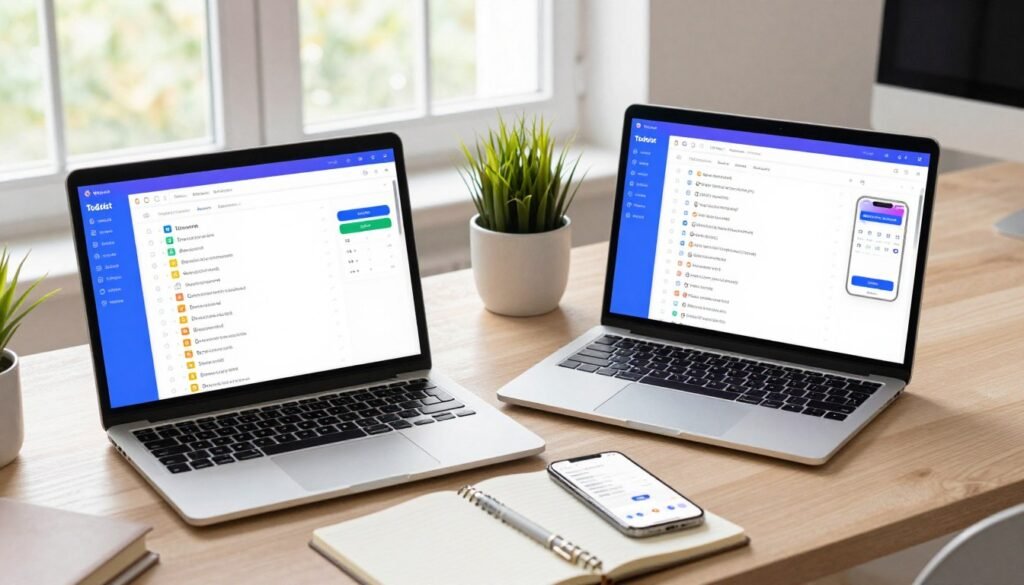
The Indispensable Browser Extension
The browser extension is a true workflow game-changer. It allows instant task capture from any webpage without context switching.
Research shows interruptions require 23 minutes to refocus. This tool prevents that productivity drain completely.
You can add the current website as a hyperlinked task with one click. Selected text captures directly as a task with its source link preserved.
This seamless integration keeps you in your workflow. You never need to open another app or lose your train of thought.
The extension sits quietly in your browser toolbar. It transforms random web browsing into productive task collection.
Mastering Subtasks, Sections, and Uncompletable Headers
Complex deliverables need proper breakdown. Subtasks handle this by dividing large items into manageable components.
They maintain the parent task structure while providing clear action steps. This is perfect for projects like “Plan Conference” or “Write Report.”
Sections organize tasks within projects into logical categories. Think “Phase 1 Research” or “Client Deliverables” within a larger project.
Uncompletable headers function as persistent reference points. They create permanent dividers like “Resources” or “Quarterly Goals” that never get checked off.
These three features work together to create sophisticated organization. They provide the structure needed for complex work without rigidity.
Using Templates for Repeated Projects
Templates transform repetitive project setups into one-click operations. They save significant time on recurring work structures.
Every new consulting client or class semester follows similar steps. A template captures that proven structure for instant reuse.
The platform offers ready-made templates for common scenarios. These include meal prep, goal tracking, and employee onboarding.
Social media scheduling and book writing templates are also available. You can create custom templates for your unique repeated projects.
Effective template use covers client onboarding, content calendars, and trip planning. Event management and weekly reviews are other perfect applications.
Export and import functionality allows sharing project structures with team members. It also facilitates transitioning between different systems when needed.
These advanced tools work together to create a cohesive productivity environment. The browser extension captures, the organizational features structure, and templates automate.
Practical implementation starts with one tool at a time. Add the extension first, then experiment with subtasks for your next complex project.
Finally, create one template for your most repeated workflow. This gradual approach builds mastery without overwhelm.
The right combination turns simple task management into a powerful personal operating system. These unique features provide the depth serious users need.
The Mobile and Desktop Experience
Modern productivity demands tools that adapt to your context, offering specialized experiences for different devices. The right task management system should feel native whether you’re checking items on your phone during a commute or planning your week at a desktop computer.
This platform delivers consistent functionality across all your screens. Each version is optimized for its environment while maintaining a unified workflow.
Your interaction style changes throughout the day. Quick capture happens on mobile during spontaneous moments. Serious organization occurs during focused sessions at your computer.
A seamless experience between these contexts is essential. It eliminates friction and keeps your system reliable no matter where you work.
Todoist on iPhone and Android: A Seamless Experience
The mobile apps for iPhone and Android prioritize quick task capture. They transform fleeting thoughts into organized actions within seconds.
Natural language input works perfectly on touch keyboards. Speak or type “send proposal by Friday” to create a properly dated task.
Home screen widgets provide instant visibility without opening the app. These customizable views show today’s priorities or upcoming deadlines.
Notification management is highly customizable on both platforms. You control which alerts appear and when they arrive.
Mobile design adapts beautifully to smaller screens. Key functions remain accessible with thumb-friendly placement.
The experience feels intuitive whether you use iOS or Android. Consistency across operating systems reduces learning time.
The Web and Desktop Apps for Deep Work
The web app offers full feature access through any browser. No installation is required to manage complex projects.
This version provides the most comprehensive interface. All organizational tools are visible and easily accessible.
Dedicated desktop apps for Windows and Mac offer deeper system integration. They run independently of your browser for better performance.
Keyboard shortcuts accelerate every action in the desktop versions. Press “Q” for quick task entry without touching your mouse.
Other shortcuts handle navigation, date changes, and priority setting. These time-savers become second nature with regular use.
Offline access ensures you can work without internet connectivity. Changes sync automatically when your connection returns.
The desktop environment supports extended planning sessions. Multiple views help you organize complex workflows efficiently.
Syncing and Notifications That Keep You on Track
Reliable syncing architecture ensures updates propagate quickly across devices. Add a task on your phone and see it instantly on your computer.
This real-time synchronization creates trust in the system. You never wonder if changes were saved properly.
Notification options cater to different preferences and situations. Push alerts deliver immediate reminders to your mobile device.
Email reminders provide backup notifications for critical tasks. Smart scheduling bases alert timing on your due dates.
You can customize which tasks trigger notifications and when. Morning reviews or afternoon check-ins fit your natural rhythm.
Platform-specific features enhance each experience. Mobile quick-add widgets capture ideas during walks or meetings.
Desktop keyboard shortcuts streamline batch processing of tasks. Web browser integration allows task creation from any webpage.
The consistent experience reduces friction when switching devices. Interface familiarity lets you focus on work rather than navigation.
Practical usage recommendations optimize your workflow. Use mobile apps for capture and quick checks throughout the day.
Reserve desktop sessions for weekly planning and project organization. This division matches each platform’s strengths to your needs.
Long-term users report exceptional uptime and sync consistency. The system maintains reliability through daily use across multiple devices.
Your tasks remain accessible regardless of which device you’re using. This reliability transforms how you approach your responsibilities each day.
Collaboration and Team Use in Todoist
When your to-do list involves multiple people, you need tools designed for coordinated effort rather than solo work. This platform extends its organizational power to shared environments, helping families and small teams stay synchronized.
The collaborative features transform individual productivity into group accountability. They create visible workflows where everyone understands their responsibilities.
Assigning Tasks and Sharing Projects
Sharing a project with colleagues or family members creates a central workspace. Everyone sees the same list of tasks and deadlines.
You can assign specific items to team members with clear due dates. The assignee receives a notification and the task appears in their personal view.
Comment threads on each task allow discussions without leaving the context. Team members can ask questions, provide updates, or clarify details directly on the item.
File attachments keep relevant documents connected to the work. Add images, PDFs, or links directly to tasks for easy reference.
The platform offers three permission levels for appropriate control. Admins can manage everything, members can edit tasks, and comment-only users can view and discuss.
This structure works well for small business coordination. Editorial calendars, event planning, and client work management become transparent processes.
Using Todoist for Family and Personal Shared Goals
Household management becomes smoother with shared projects. Family members can coordinate chores, grocery lists, and maintenance schedules in one place.
Vacation planning transforms from chaotic emails to organized checklists. Create a shared project with packing lists, booking deadlines, and activity planning.
Real-world examples show how these tools reduce friction. One user collaborates with their spouse on both personal and professional tasks.
This approach cuts down on constant reminders and forgotten items. It creates a reliable external memory for shared responsibilities.
Volunteer event coordination benefits from the same visibility. Committee members can track their assignments and see overall progress.
Family chore charts become dynamic and accessible to everyone. Children can check off their completed tasks from any device.
Limitations for Large Team Project Management
While excellent for small groups, this system has constraints for complex enterprise needs. The Pro version supports up to 25 people per project, which suits many small teams.
The Business plan adds dedicated team collaboration features. However, the platform may be too simple for large-scale project management.
Dedicated tools like Asana or Monday.com offer more robust functionality for complex workflows. They provide advanced reporting, time tracking, and resource management.
This service excels at task and project coordination rather than full project management. It focuses on what needs to be done rather than how to do it at scale.
Choose this platform when your primary need is clear task delegation and visibility. Select more comprehensive tools when you require Gantt charts, dependency tracking, or advanced analytics.
Small teams handling client work or content creation find the right balance here. The simplicity keeps everyone focused on execution rather than process overhead.
For families and small businesses, the collaborative features provide substantial value. They create accountability without complexity that overwhelms casual users.
Todoist Pricing: Is the Pro Plan Worth It?
Before committing to any software subscription, evaluating its pricing tiers against the value provided is essential. The platform offers a clear three-tier structure designed for different user needs.
Each plan unlocks specific capabilities that address common workflow limitations. Understanding these options helps you make an informed investment decision.
What You Get with the Free Version
The free version provides substantial functionality for most individuals starting their organization journey. It includes core task creation, due dates, and priority setting across five active projects.
You can collaborate with up to five people per project and upload files up to 5MB. The limit of three custom filters helps organize your workflow initially.
Many users operate effectively within these constraints for months or even years. Long-term user Saya Hillman used the free plan for over a decade before needing an upgrade.
Common triggers for considering an upgrade include consistently hitting the project limit. Needing more sophisticated filters or requiring task reminders also prompts evaluation.
Collaborating with larger teams often necessitates moving beyond the free tier. The free version serves as an excellent testing ground for the platform’s core approach.
Pro Plan Features: Upgrading for Power Users
The Pro plan costs $48 annually, which breaks down to $4 per month. This tier unlocks 300 projects, a significant jump from the free version’s five-project limit.
You gain access to 150 custom filters for creating personalized task views. File uploads increase to 100MB per file, accommodating more substantial documents.
Task reminders become available, sending notifications for important deadlines. Automatic backups and unlimited activity history provide peace of mind for your data.
The value typically justifies itself through time savings and reduced missed deadlines. At $4 monthly, the cost is minimal compared to productivity gains.
Compared to competitors like TickTick’s $3.99 monthly premium plan, the pricing is competitive. The annual commitment offers savings over monthly billing options.
This tier suits individuals managing multiple areas of their life through projects. Freelancers, students, and organized professionals benefit most from these enhancements.
Business Plan for Team Collaboration
The Business plan costs $72 per user annually, focusing on team coordination features. It includes everything from the Pro tier plus specialized collaboration tools.
Team workspaces provide dedicated areas for group projects and shared goals. Admin and member roles offer appropriate control levels for different team members.
Centralized billing simplifies payment management for organizations. Team productivity trends offer insights into collective workflow patterns.
This plan supports businesses needing structured task delegation and visibility. It works well for small teams up to 25 people per project.
The platform may be too simple for complex enterprise project management needs. Dedicated tools offer more robust functionality for large-scale operations.
For families or small businesses, the Business features provide substantial value. They create accountability without overwhelming complexity for casual users.
Upgrade timing recommendations suggest starting with the free version. Move to Pro when consistently hitting limitations in your daily workflow.
Consider the Business plan when team collaboration becomes a regular requirement. The platform provides sufficient value compared to free alternatives like Google Tasks.
Apple Reminders offers simplicity but lacks the organizational depth many users need. This service balances capability with accessibility across its pricing tiers.
Todoist vs. The Competition: How It Stacks Up
The market for to-do list apps is crowded, with each offering distinct approaches to organizing your work and life. Understanding how leading options compare helps you select the right tool for your specific needs.
Different apps prioritize various features like simplicity, ecosystem integration, or advanced functionality. This comparison examines key competitors to highlight their unique strengths.
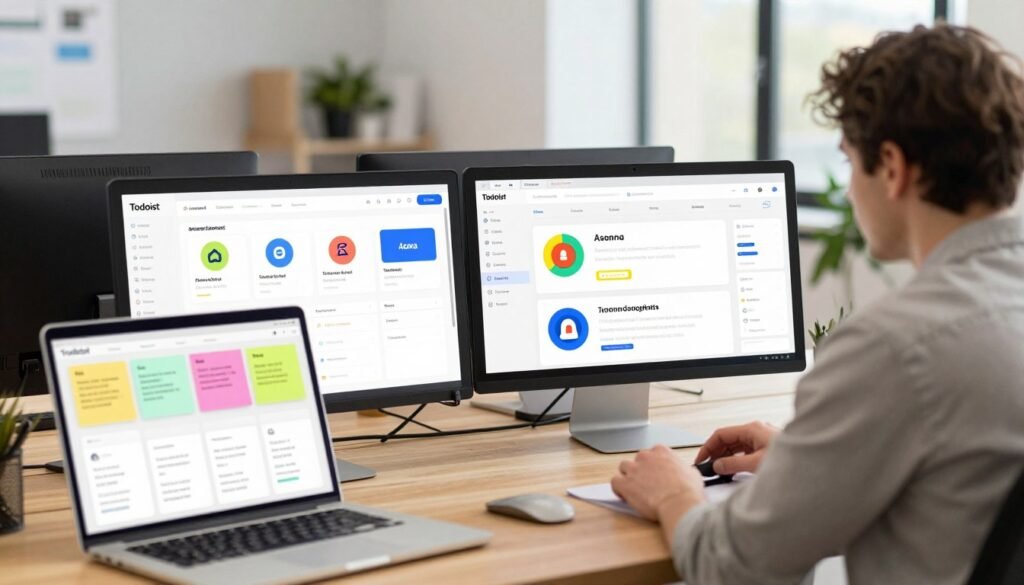
TickTick: The Feature-Rich Alternative
TickTick stands out as a powerful alternative packed with built-in tools. It includes an embedded calendar view for visual scheduling of your tasks.
The app also offers a Pomodoro timer for focused work sessions. Habit tracking features help you build consistent routines alongside task management.
These additional functions make TickTick appealing to users who want everything in one place. It reduces the need for separate productivity tools.
Compared to this platform, TickTick provides more native features without extra integrations. However, its interface can feel busier due to the expanded toolset.
Both services support natural language input and recurring tasks effectively. TickTick’s pricing is competitive with a similar freemium model.
Microsoft To Do: Best for Microsoft Ecosystem Users
Microsoft To Do excels for users deeply invested in the Microsoft ecosystem. It integrates seamlessly with Outlook, Teams, and other Microsoft services.
The app features a clean, visually appealing design that many find intuitive. Its simplicity makes it easy to start using immediately.
However, Microsoft To Do offers a more basic feature set compared to other task management apps. It lacks the organizational depth of more robust options.
Collaboration tools are limited but sufficient for simple shared lists. The service is completely free, which adds to its appeal for budget-conscious users.
This integration advantage makes it the best to-do app for Microsoft-centric workflows. If you live in Outlook and Teams, the seamless connection is valuable.
Apple Reminders: The Simple Choice for Apple Faithful
Apple Reminders provides a straightforward solution for users within the Apple ecosystem. It’s free and available on every iPhone, iPad, and Mac.
The app has improved significantly in recent years with added features. It now supports subtasks, attachments, and smarter suggestions.
Seamless integration with Siri and other Apple services creates a cohesive experience. Your reminders appear across all devices without configuration.
However, functionality remains more basic compared to dedicated task management apps. Advanced organization and collaboration features are limited.
For Apple-only users who prioritize simplicity, Reminders is a compelling free option. It handles basic to-do lists effectively without complexity.
Cross-platform availability is non-existent, which limits its usefulness for mixed-device environments. The app works beautifully within Apple’s walled garden.
When comparing core features, several patterns emerge. Natural language processing is now common among the best to-do apps.
Recurring task support is standard, though implementation details vary. Collaboration tools differ significantly between simple sharing and full team management.
Cross-platform availability separates universal apps from ecosystem-specific options. This factor often determines which tool fits your device usage.
Pricing models show clear differences between these task management apps. Some competitors offer completely free services with basic functionality.
Others use freemium models similar to this platform’s approach. A few premium apps require one-time purchases rather than subscriptions.
The value proposition depends on which features you actually need daily. Free options often suffice for straightforward personal use.
User experience factors like learning curve and interface design influence satisfaction. Some apps prioritize immediate usability over advanced capabilities.
Customization options range from minimal to highly flexible. Workflow adaptability determines how well an app supports your unique processes.
Decision guidelines help narrow your choice among these options. Select this platform for a balanced combination of power and simplicity.
Choose TickTick if you want embedded calendars, timers, and habit tracking in one app. Pick Microsoft To Do when deep Microsoft integration matters most.
Apple Reminders suits users who stay within Apple’s ecosystem and prefer simplicity. Each option serves different priorities effectively.
Niche competitors address specific user preferences. Things offers elegant design for Apple users willing to pay for premium software.
Google Tasks provides basic functionality tightly integrated with Google’s services. Any.do focuses on planning features and daily overviews.
These specialized apps often excel in their particular focus areas. They may lack the broad appeal of more general solutions.
The middle-ground positioning of this service makes it suitable for diverse users. It balances capability with accessibility better than many alternatives.
This approach creates a versatile tool that adapts to various workflows. The platform avoids extreme simplicity or overwhelming complexity.
Migration considerations matter for users switching from other task management apps. Most services offer import tools for common formats.
Transitioning your existing tasks and projects requires planning and testing. Start with a trial period using both systems simultaneously.
Focus on recreating your most important workflows in the new app. This ensures it meets your core needs before fully committing.
The right choice depends on your specific requirements and working style. Each of these apps represents a valid approach to task management.
The Pros of Choosing Todoist for Your Tasks
When evaluating digital task managers, certain strengths consistently emerge as decisive factors for users. The right platform offers advantages that translate directly to daily productivity gains and reduced mental clutter.
Unmatched Cross-Platform Availability and Speed
This service delivers a consistent experience across every device you own. It works seamlessly on web browsers, Windows, Mac, iOS, and Android systems.
The browser extension further extends this accessibility. You can capture tasks from any webpage without switching contexts.
Speed is a defining characteristic of this platform. Natural language processing lets you type commands like “meeting tomorrow 3pm” to create perfectly scheduled tasks.
Keyboard shortcuts accelerate every action for power users. This minimal interface friction means you spend less time managing your list and more time completing work.
Your tasks sync instantly across all devices. This reliability creates trust in the system as your external brain.
Intuitive Design That Minimizes Learning Curve
The design philosophy prioritizes immediate usability without sacrificing depth. New users can start organizing their work within minutes of signing up.
The clean interface presents information without visual clutter. Important actions remain accessible without hidden menus or complex navigation.
Experienced users discover advanced capabilities as their needs grow. The system reveals more power without overwhelming beginners.
This balanced approach makes it one of the best to-do apps for diverse user groups. Students, professionals, and families all find it approachable.
The learning curve stays minimal while supporting sophisticated workflows. This accessibility drives high adoption and satisfaction rates.
Robust Feature Set Without Feeling Bloated
The platform offers comprehensive tools for serious task management. Yet it avoids the complexity that overwhelms users in some productivity apps.
Core features include projects, labels, priorities, and recurring tasks. These provide organizational structure for both personal and professional responsibilities.
Reliability factors contribute significantly to the positive experience. Consistent performance and regular updates improve the service without disrupting established workflows.
The proactive reminder system reduces cognitive load. You trust that important deadlines won’t be forgotten.
Customization capabilities allow personal adaptation. Themes and layout options suit different working styles and visual preferences.
Ecosystem integration connects with calendar apps, email clients, and other productivity tools. This creates a cohesive digital workspace rather than isolated apps.
Users report transformative impacts on their daily organization. The system helps reclaim mental space previously occupied by remembering tasks.
This combination of power and simplicity makes Todoist a compelling choice. It balances capability with accessibility better than many alternatives in the task management space.
The Cons and Limitations of Todoist
No application is perfect for every user, and recognizing where a system falls short helps make informed decisions. Even popular task managers have specific gaps that might affect certain workflows.
Understanding these limitations ensures you choose the right tool for your needs. Some constraints are intentional design choices to maintain focus.
No Built-In Calendar or Time-Blocking View
This platform lacks a native calendar or time-blocking view. Competitors like TickTick offer this integrated visual scheduling feature.
Users must connect with external calendar apps for a combined timeline. This requires additional setup and potential sync issues.
The absence affects those who plan their day visually. Time-blocking enthusiasts need separate tools for this approach.
Workarounds exist through Google Calendar or Outlook integrations. These connections bridge the gap but aren’t seamless.
Advanced Features Require a Paid Subscription
Important capabilities sit behind the Pro plan paywall. Reminders, advanced filters, and more projects need the subscription.
The free version limits users to five active projects. This constraint pushes serious organizers toward the paid tier.
Essential tools like task reminders are premium features. The $4 per month cost is reasonable but required for full functionality.
Some competitors offer more in their free plans. This freemium model prioritizes conversion over comprehensive free access.
May Be Too Simple for Complex Project Management
The system isn’t designed for intricate project workflows. It lacks Gantt charts, dependency tracking, and critical path analysis.
Resource management and advanced reporting are limited. Dedicated platforms like Asana or Monday.com excel here.
Team collaboration tools are simpler than enterprise solutions. Permission structures and analytics don’t match specialized software.
Complex projects with many moving parts need more robust management. This service focuses on task execution rather than project planning.
Integration gaps exist despite many available connections. Some desired services need third-party tools or Zapier workflows.
Learning resources are adequate but not extensive. Some users want more guided onboarding or tutorial content.
Niche features like Pomodoro timers or habit trackers are absent. Competitors bundle these productivity tools together.
Reporting capabilities are basic compared to dedicated platforms. Analytics for team productivity are limited.
These limitations represent intentional design choices. The platform maintains a focused task management identity.
Workarounds exist for most common constraints. Integrations with complementary tools create complete systems.
For example, pair it with a calendar app for visual scheduling. Use separate software for complex project management needs.
The right approach depends on your specific requirements. Many users find the simplicity beneficial rather than limiting.
Who Is Todoist For (And Who Should Look Elsewhere)?
Selecting productivity software involves evaluating both who will benefit most and who should explore alternatives. The right fit depends on your specific workflow, team size, and organizational needs.
This platform excels in particular scenarios while having clear limitations in others. Understanding these boundaries helps you make an informed choice.
Ideal For: Individuals and Small Teams Seeking Clarity
The service shines for individuals managing both personal and professional responsibilities. It provides the structure needed to track diverse tasks without complexity.
Knowledge workers, students, and freelancers find particular value here. The system handles everything from academic deadlines to client deliverables effectively.
Small business owners appreciate the straightforward approach to project coordination. Households use it for shared chore lists and family schedules.
Specific professional roles benefit greatly from this type of task management. Writers track article deadlines and research notes. Consultants manage client projects and follow-up items.
Developers organize coding tasks and bug fixes. Marketers coordinate campaigns and content calendars. Educators plan lessons and grade assignments.
Team scenarios work well within the platform’s collaboration limits. Startups coordinate early-stage development across small groups.
Small departments manage internal projects with clear accountability. Volunteer groups organize events and assign responsibilities.
Family units share grocery lists, maintenance schedules, and appointment reminders. The shared project feature creates visibility for everyone involved.
Workflow compatibility is another strength. Getting Things Done (GTD) practitioners implement their system effectively.
Time-blockers connect the app with external calendar tools for visual planning. Priority-based planners use the color-coded system to focus on what matters most.
The platform’s simplicity with underlying power appeals to these users. They value quick task entry and reliable organization above specialized features.
Not Ideal For: Those Needing Native Calendar Integration or Advanced Reporting
Some users should consider alternative solutions based on their specific requirements. The absence of a built-in calendar view is a significant limitation for visual planners.
Those who schedule their day in time blocks need integrated calendar functionality. They must connect external apps for this visual management approach.
Complex project management with dependencies requires more specialized tools. The platform doesn’t support Gantt charts or critical path analysis.
Enterprise reporting needs exceed what this service provides. Large organizations require detailed analytics and resource management features.
Visual thinkers who prefer mind maps or spatial organization should look elsewhere. The linear list structure doesn’t support their cognitive style.
Spreadsheet-dependent managers accustomed to complex formulas may find the system too simple. They need the flexibility of custom calculations and data manipulation.
Users requiring deep Microsoft or Google integration might prefer native solutions. Microsoft To Do or Google Tasks offer tighter ecosystem connections.
Larger organizations with complex workflows need more robust platforms. Dedicated project management tools handle intricate processes better.
A simple decision framework helps evaluate your fit. Consider your task volume and variety first.
Assess your collaboration needs and team size. Evaluate your platform requirements and device preferences.
Analyze your workflow complexity and reporting needs. Match these factors against the platform’s capabilities.
Final guidance suggests this service suits most individual users and small teams. It provides sufficient power without overwhelming complexity.
Larger organizations or those with specialized needs should explore more comprehensive tools. The right choice depends on aligning features with your actual daily requirements.
Conclusion: Our Final Verdict on Todoist
Digital task management has evolved beyond basic reminders to become a reliable external brain for modern life’s complexities. This platform delivers that promise with a balanced approach.
Its natural language input and cross-platform sync make daily task handling effortless. The intuitive design minimizes learning time while providing robust organization tools.
While lacking a built-in calendar, it excels at core list management. For most individuals and small teams, it’s an excellent choice.
Start with the free plan to organize your real responsibilities. Upgrade only when you consistently hit limitations in your workflow.
The true value lies in reduced mental clutter and organized confidence. Your tasks stay managed, and nothing important slips through the cracks.
FAQ
How do I get started with this to-do list app?
You can sign up for a free account on their website or through the mobile apps. The process is quick. Start by adding a few tasks to see how the natural language input works. Creating your first project helps organize your work right away.
Can I use this task management tool on all my devices?
Yes. It offers excellent cross-platform availability. You can sync your lists seamlessly between iPhone, Android, web browsers, and desktop apps. This ensures your tasks are always accessible, no matter what tool you’re using.
What makes the natural language processing feature useful?
It lets you type tasks as you think of them. For example, type “Email team report every Monday at 9am” and it will create a task with the correct due date and set a recurring reminder. This saves time and makes planning intuitive.
Are there reminders and scheduling options?
A> Absolutely. You can set specific due dates and times for tasks. The app also sends push and email reminders to make sure nothing slips your mind. For repeated items, you can easily set up recurring tasks for any day or month.
How does it handle collaboration for a small team?
You can share projects and assign tasks to others. It’s great for family goals or small team project management. For larger teams requiring advanced reporting, other tools might be more suitable, but for basic shared lists, it works well.
What do I lose by staying on the free plan?
The free version is robust for personal use. Upgrading to the Pro plan unlocks features like task duration labels, more active projects, and reminders for all tasks. The Business plan adds team collaboration tools like admin controls.
Does it integrate with my calendar?
While it doesn’t have a built-in calendar view for time-blocking, it offers two-way sync with Google Calendar and other services. This integration lets you see your tasks alongside your scheduled events in your preferred calendar app.
How does it compare to other task management apps like Microsoft To Do?
It stands out for its speed, clean design, and powerful natural language input. Microsoft To Do integrates deeply with the Office 365 ecosystem, while this app offers broader compatibility across all platforms and devices.